
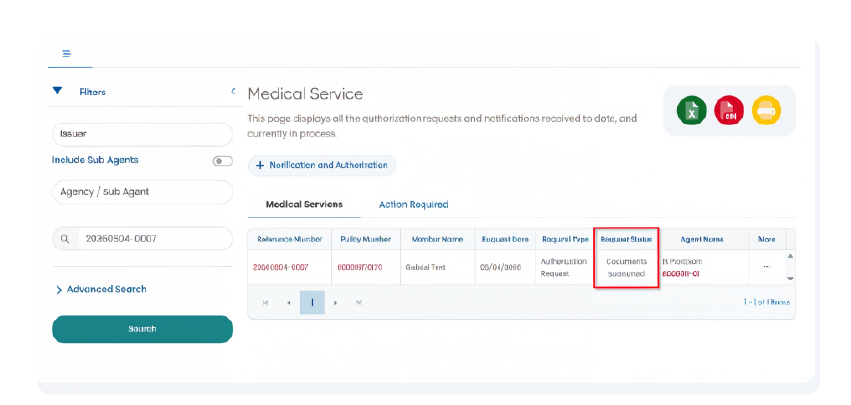
To streamline the intake review process, a new Medical Services Portal section is now available in both the Agent and the Member Portals. This enhancement allows pending medical records to be uploaded directly when additional documentation is required for an intake under review.
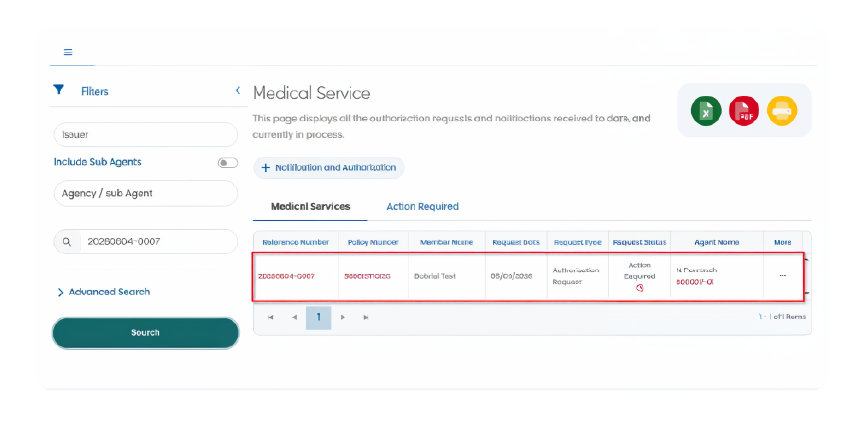
When a request for medical records is issued, the case will appear in the Medical Services section with an Action Required status. Supporting documents can then be uploaded directly through the portal, creating a more efficient and centralized process for submitting requested information.
For agents, this enhancement provides greater visibility into documentation requests and offers an additional way to help clients respond quickly when records are needed. Since the same functionality is available in the Member Portal, clients may also submit requested documents directly on their own, reducing unnecessary delays and helping move cases forward faster.
The process is simple
1.Access the portal and then the Medical Services section. Locate the case with an Action Required status.
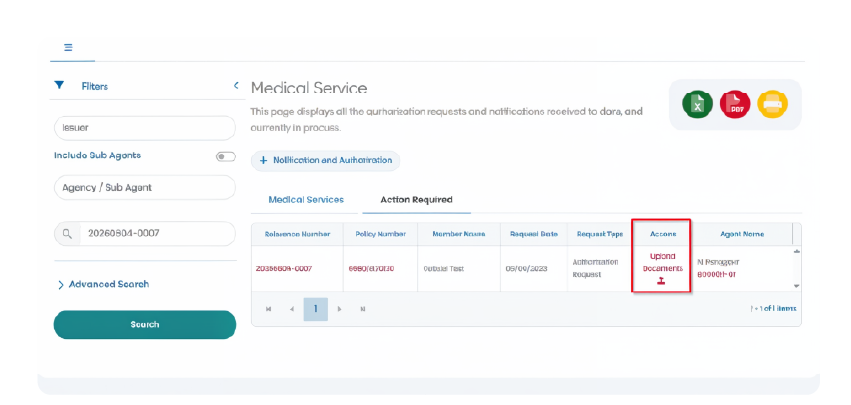
2.Select Upload Documents.
3.Attach the requested medical records.
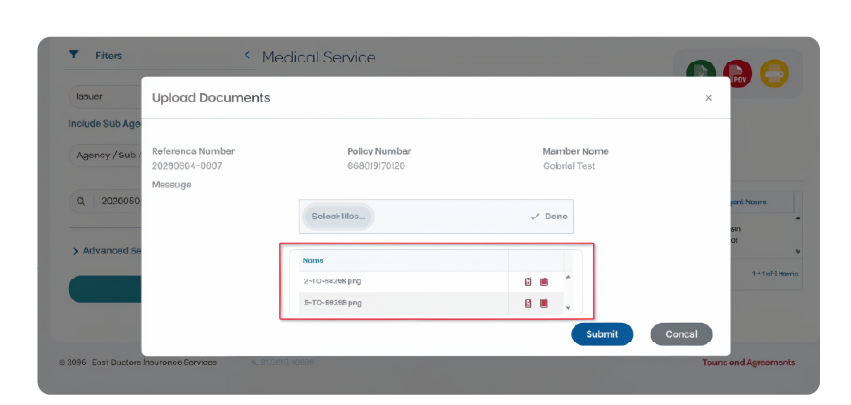
4.Submit the files through the portal.
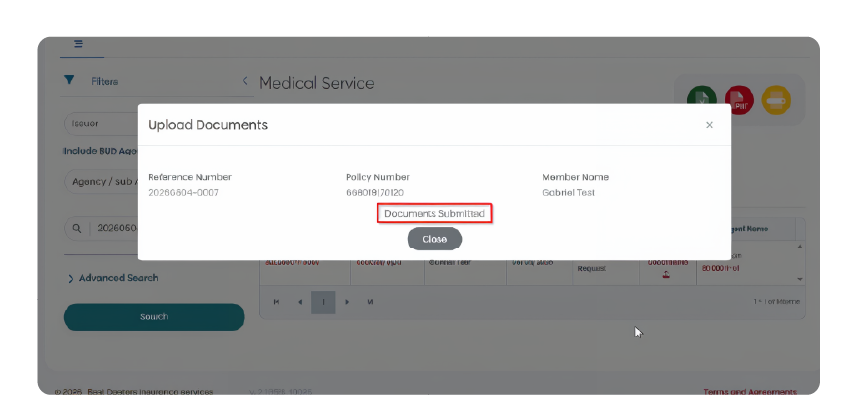
5.Receive confirmation once the documents have been successfully submitted.
By making document submission available through both portals, this enhancement helps simplify follow-up, improve turnaround times, and create a smoother experience for agents and members alike.